Focus timer for macOS
Focus hard. Rest on purpose.
A Pomodoro-style focus timer for the Mac that tracks your breaks and your energy.
Most timers count your work and forget your breaks. Focus Energy tracks both, and shows how much energy you have left for the day.
Focus Energy is a Mac app. Send yourself the link and download it there.
Version 1.1.0 · Free · macOS 14 or later · Apple Silicon and Intel · How to install
Try it here
The app, right on this page.
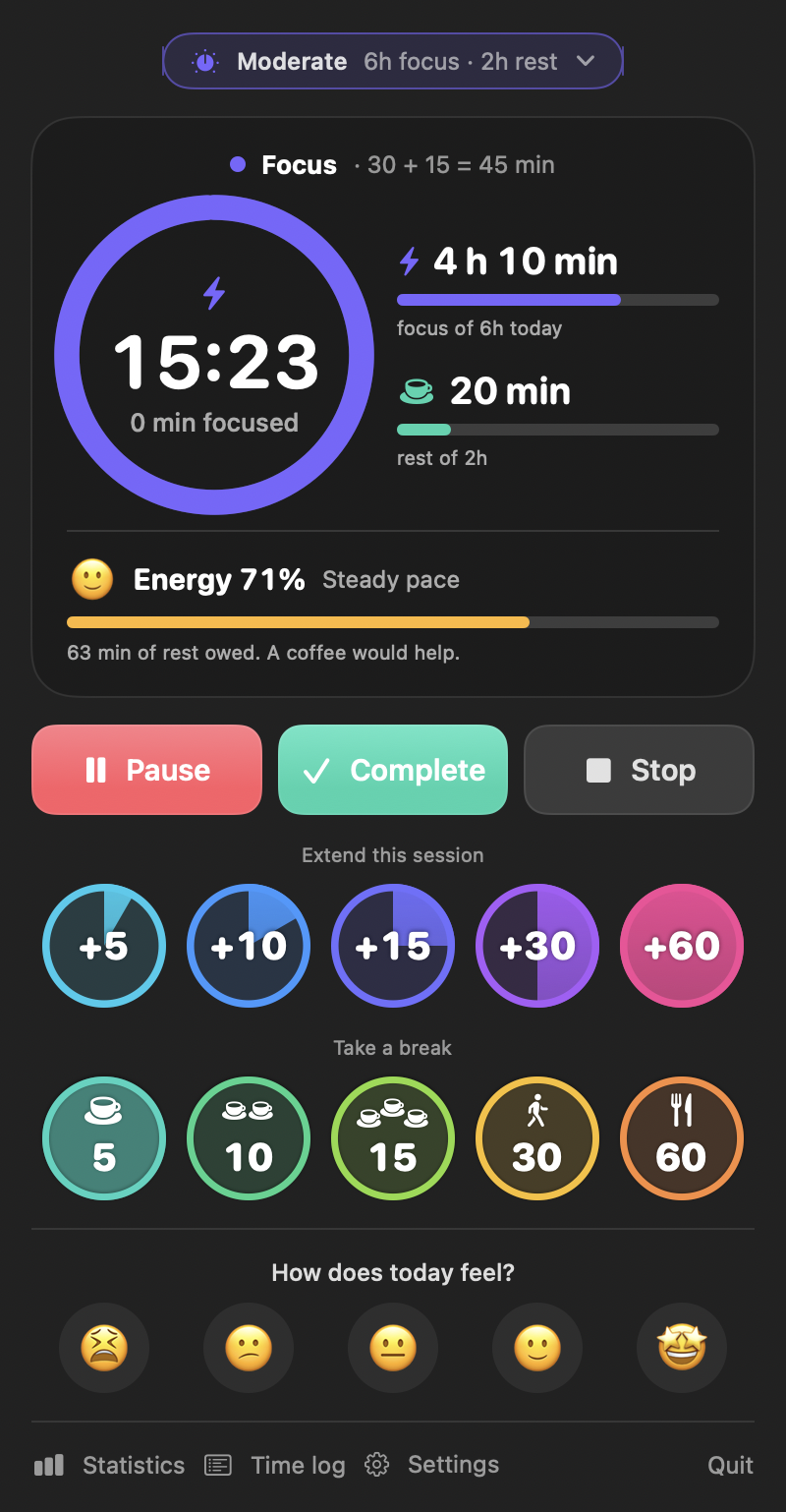
A working copy of the main window. One second here is one minute in the app.
Start focus for
Take a break
What ends up in the log
Extend a running session and it stays a single entry. Stop early and only the minutes you worked are kept.
- Start a session, then tap +15 while it runs.
- Complete counts the whole session. Stop keeps only the minutes so far.
- Take a coffee break and watch the energy bar recover.
Statistics
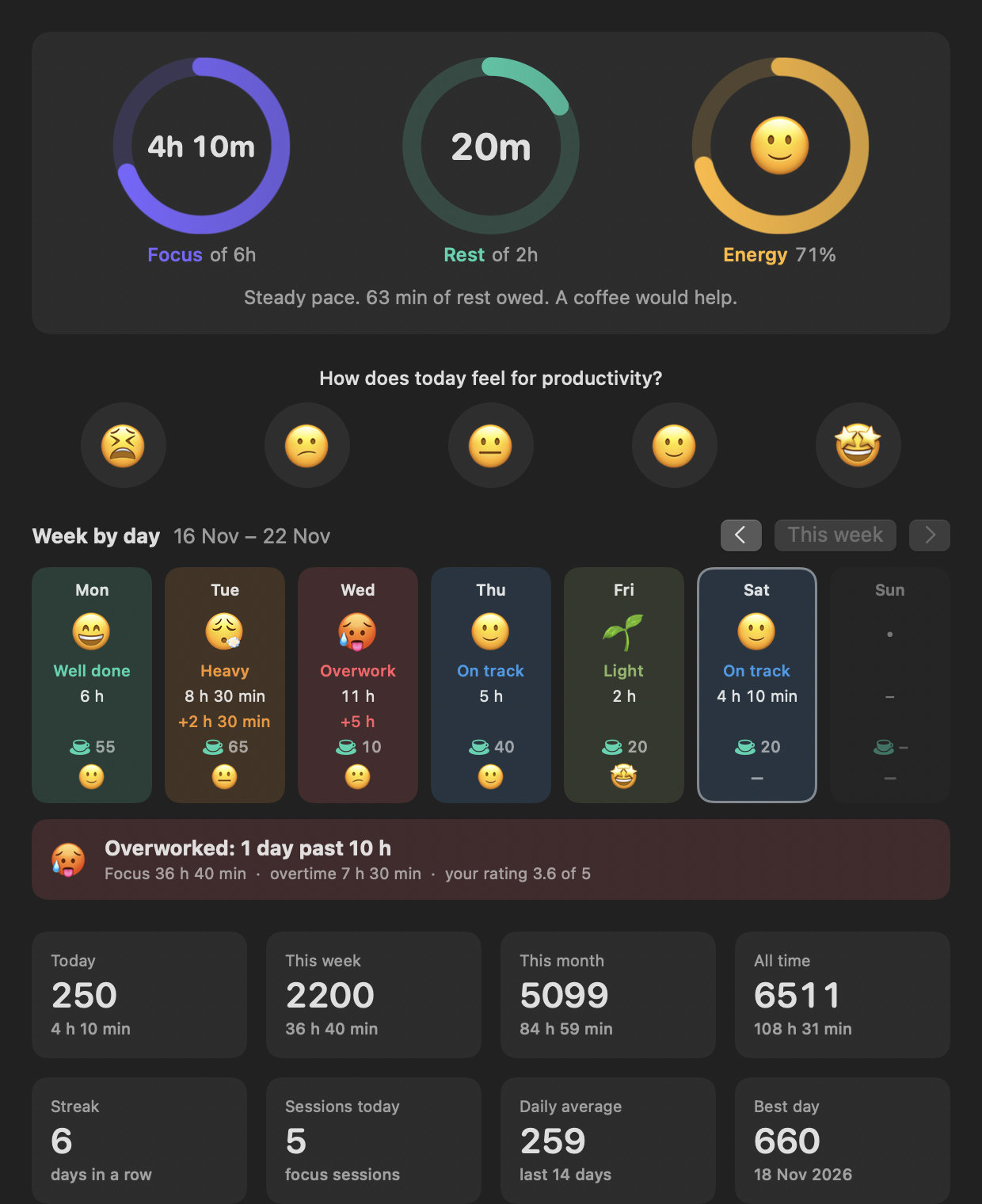
Your week, at a glance.
Every day gets a verdict, so you can see where you overdid it.
- 😄Well done the goal, with breaks
- 😮💨Heavy well past the goal
- 🥵Overwork a day to make up for
Desktop widgets
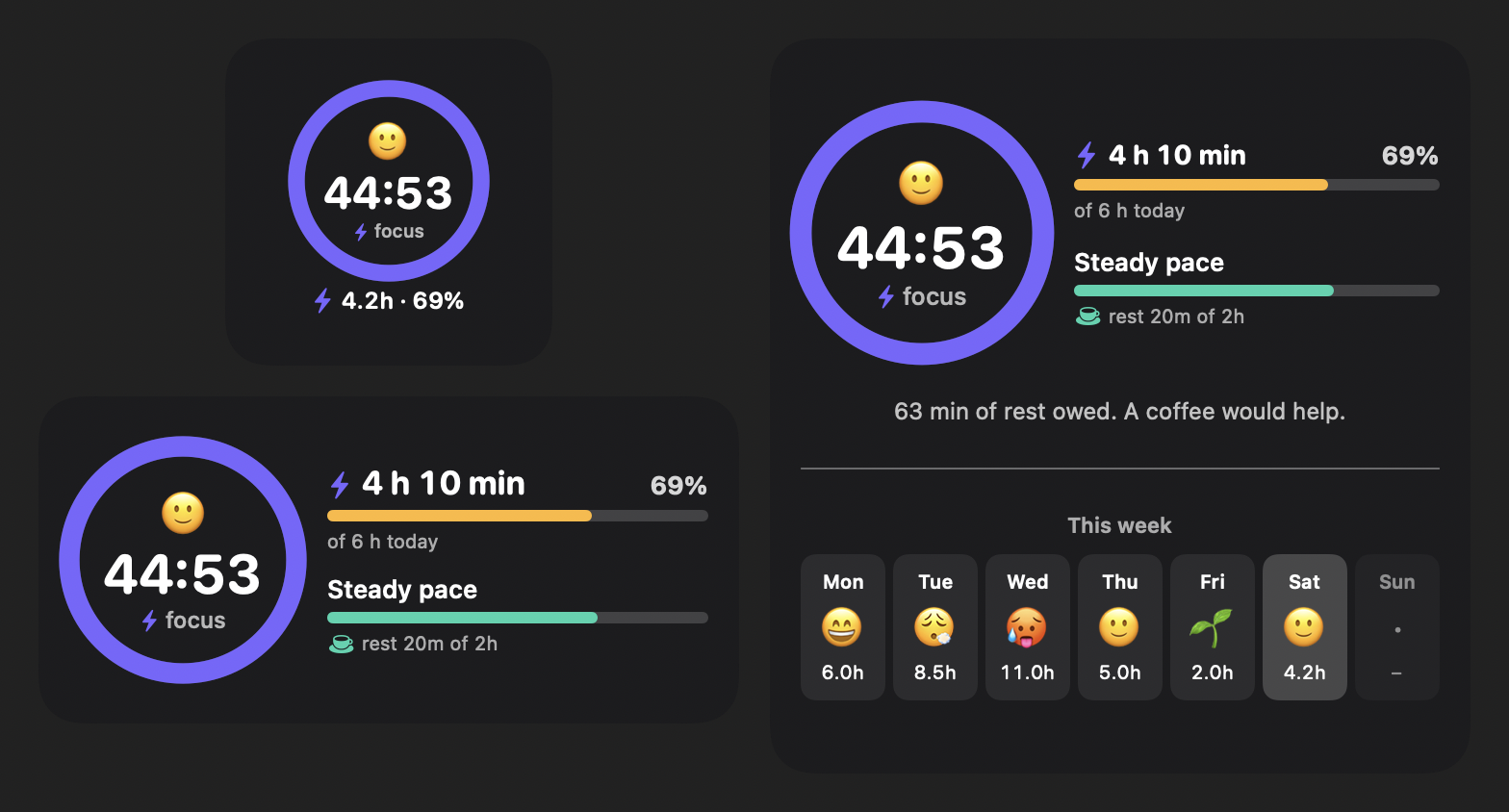
The day on your desktop.
Three sizes. The countdown, today's progress and the week, without opening the app.
On your phone
Step away. The timer follows.
No reaction on the Mac for a minute after a timer ends? Then you are probably not at your desk, and the question goes to your phone.
- The session ends while you are away. Mark the break right from the notification, or add focus time if you are still thinking.
- The break ends. The phone says it is time to get back. Not yet? Extend the break with one tap.
- The Mac does the rest. It applies your answer and confirms it.
Works through the free third-party app ntfy, on iPhone and Android. No account. Off until you switch it on, set up in three steps with a QR code. The one minute wait is adjustable.
You tap. Your Mac answers: “Added 10 min. Ends at 12:36.”
Also in the box
Menu bar and Dock
The countdown is always in sight.
iCloud Drive sync
Keep the log in your own iCloud Drive and share it between your Macs. Optional.
Three modes
Focus and rest targets for easy and heavy days.
A nudge when you forget
Ten minutes at the Mac with no timer running? The app offers to start one, and to count the time so far.
Updates itself
One click, or fully automatic. Only updates signed by Home App Labs are installed.
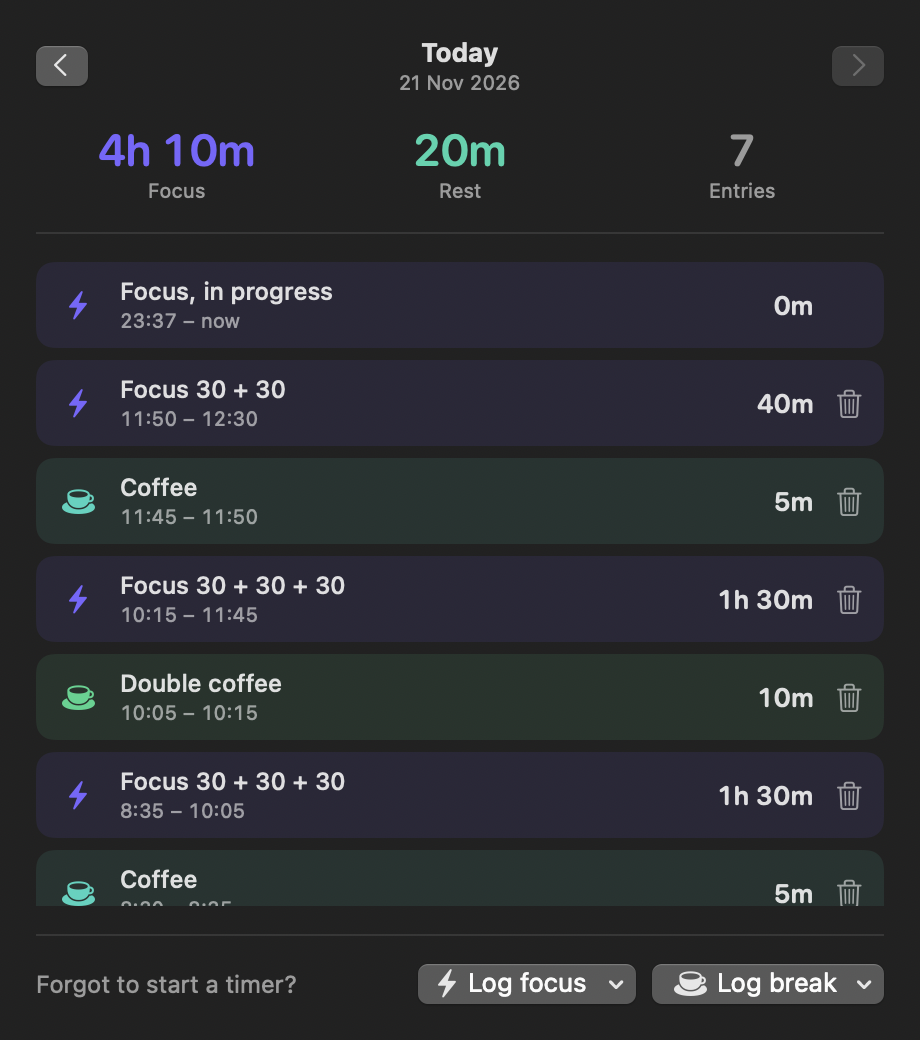
Time log
Every session and break. Forgot to start the timer? Add it afterwards.
ledger.jsonbreaks.jsonday-ratings.jsonYour data, your Mac
Plain files you can open and read. No account, no tracking, nothing sent to us.
Compared with a classic Pomodoro timer
Same idea, fewer interruptions.
Pomodoro works in fixed 25 and 5 minute blocks. Focus Energy keeps the rhythm and drops the rigidity.
Classic Pomodoro timer
- The bell rings and the session is over, even mid-thought.
- Continuing means starting a second session.
- Breaks are a countdown, not something that is tracked.
- The day is a count of finished blocks.
Focus Energy
- The bell rings and you choose: add minutes or rest.
- Extended time stays part of the same session.
- Breaks are logged and have a daily target.
- The day is focus, rest and an energy level.
Install
Download, allow once, done.
Focus Energy is free and not signed with a paid Apple developer certificate, so macOS asks you once to confirm that you trust it.
- Download Focus-Energy.pkg and open it. macOS shows a warning. Click Done.
- Open System Settings, then Privacy & Security, scroll down and click Open Anyway.
- Run the installer. Focus Energy lands in your Applications folder and opens.
See every step with pictures. Prefer no installer? Take Focus-Energy.zip and move the app yourself, or build it from the source.
Questions and answers
Is Focus Energy free?
Yes. It is free to download and use, with no in-app purchases, no subscription and no ads. The source code is public under the MIT licence.
Which Macs does it run on?
Any Mac with macOS 14 (Sonoma) or later, both Apple Silicon and Intel. There is no version for Windows, Linux, iPhone or iPad.
How is it different from a Pomodoro timer?
A Pomodoro timer works in fixed blocks, usually 25 minutes of work and 5 of rest. In Focus Energy you can extend a running or finished session by 5 to 60 minutes and it stays one session in the log. Breaks are logged too and have a daily target, and an energy bar shows the balance between the two.
Who is Focus Energy for?
People who lose track of time at the computer: developers, writers, designers, students. It suits you if you like the rhythm of focus and rest but find being cut off at exactly 25 minutes too strict, and if you want your data kept locally.
Why does macOS say it cannot verify the app?
Apple shows that message for every app whose maker has not paid for a developer certificate. Focus Energy is a free hobby project and is not signed that way. You allow it once in System Settings, Privacy & Security, with the Open Anyway button. The install guide shows each step.
Where is my data stored?
In plain JSON files on your Mac, in the folder ~/Library/Application Support/FocusPlus. You can optionally keep the log in your own iCloud Drive to share it between Macs. Nothing is sent to Home App Labs.
Does it work with an iPhone or Apple Watch?
There is no iPhone or watch app. If you switch on phone notifications, the free third-party app ntfy steps in: when a timer ends and you do not react on the Mac within a minute, the phone gets a notification with buttons to add focus time, take or extend a break, or stop. The answer goes back to the Mac.
Does it need an internet connection?
No. The timer, the log and the widgets work offline. The app goes online for two things only: once a day it asks GitHub whether there is a new version, which you can switch off, and the optional phone notifications.
How do I update Focus Energy?
From version 1.1.0 it updates itself. Once a day it checks for a new version and shows an Update button, or installs it automatically if you switch that on in Settings. Updates are accepted only when they carry the Home App Labs signature. Older versions are updated by running the newest installer once.
Was it really made with AI?
Yes. The code was written by an AI coding assistant, directed, tested and used every day by a human. More about how the apps are made.
How do I report a problem or suggest something?
Use the Contact us button on this site, or write to contact@homeapplabs.com. If you prefer, open an issue in the GitHub repository.
More from the workbench
Other apps from Home App Labs
Same idea each time: one small job, done well, free and open source.
Copy That
Clipboard history that never leaves your Mac. Everything you copied behind one shortcut, and the things you reuse saved as snippets in groups.
Translate That
A translator in the menu bar. Select text in any app, press one shortcut and read the translation. Google Translate built in, Claude or ChatGPT if you have them.
Countdown Mini
Desktop widgets that count down the days to a trip, a deadline or a birthday. One, two or three events in a widget, each in its own colour.