Countdown widget for macOS
The days left. Right on your desktop.
Desktop widgets that count down to the dates you are waiting for.
A trip, a deadline, a birthday. Give each a date, a colour and an icon, and put it on the desktop. No account, no notifications, and not a single network request.
Countdown Mini is a Mac app. Send yourself the link and download it there.
Version 1.0.0 · Free · macOS 14 or later · Apple Silicon and Intel · How to install
Desktop widgets
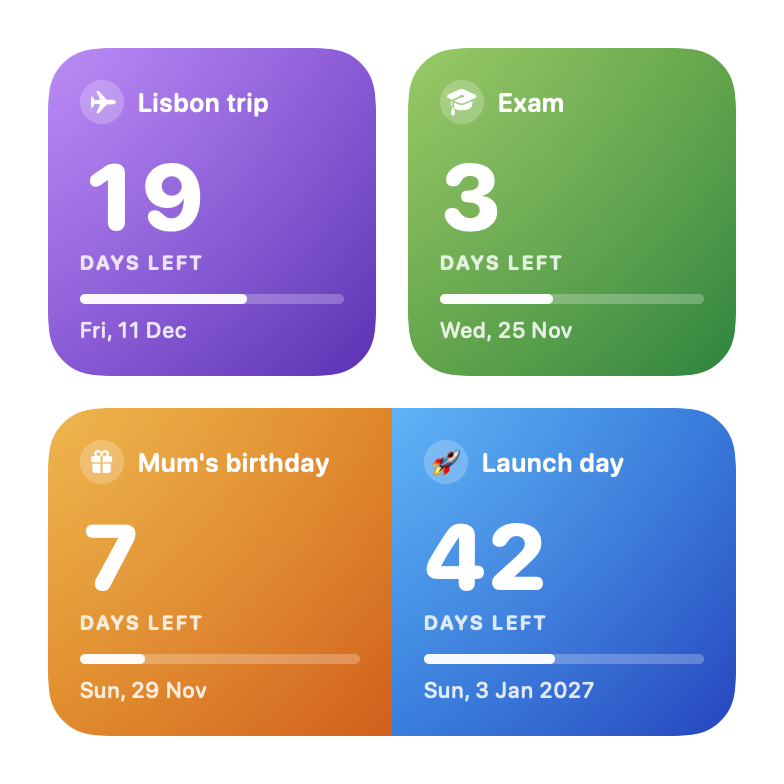
Small, medium, large.
Small shows one event, medium two side by side, large three. Every widget has its own events: right-click it and choose Edit Widget.
The large widget
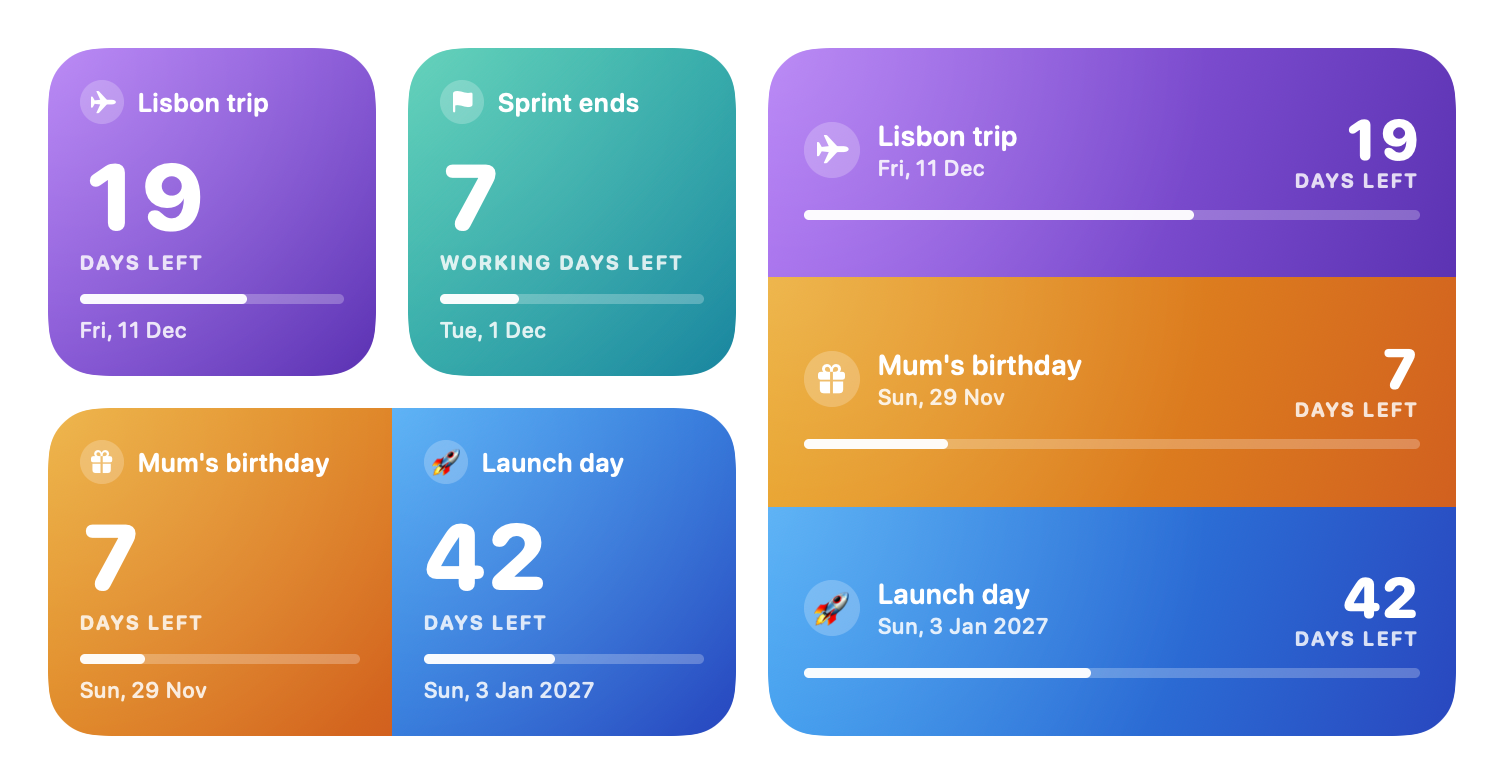
Room for one, two or three.
With fewer events each one gets more room, so the widget is never half empty.
Counting and looks
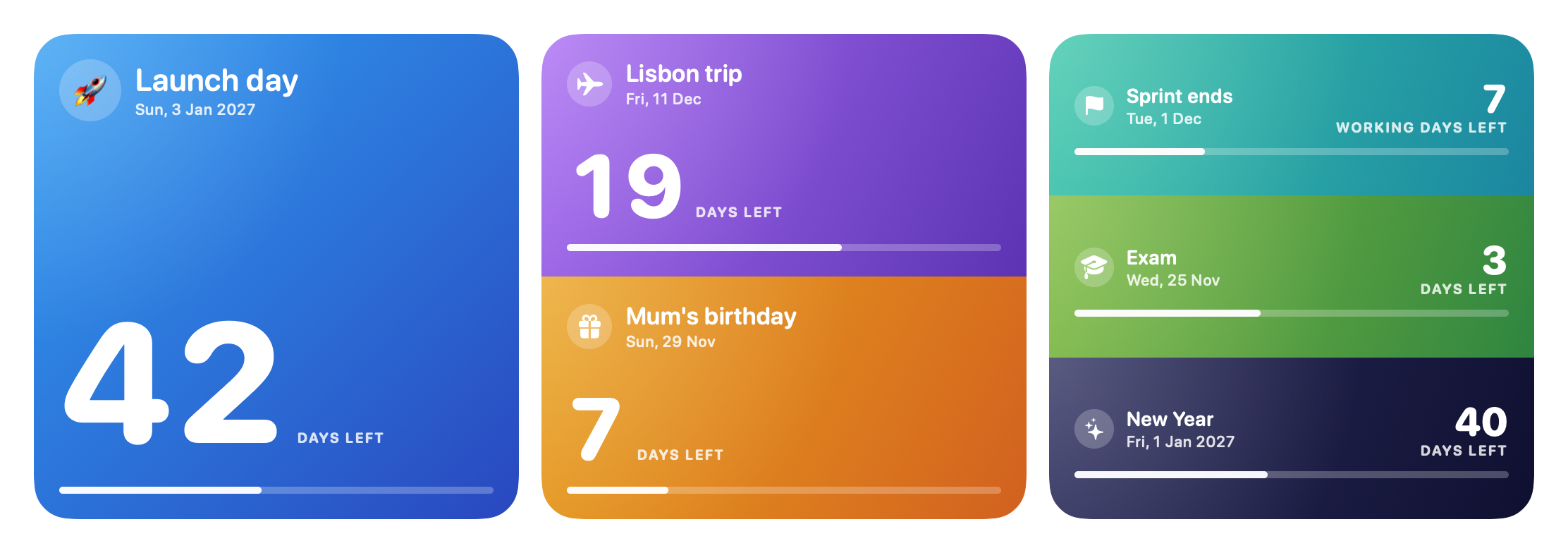
Every event its own.
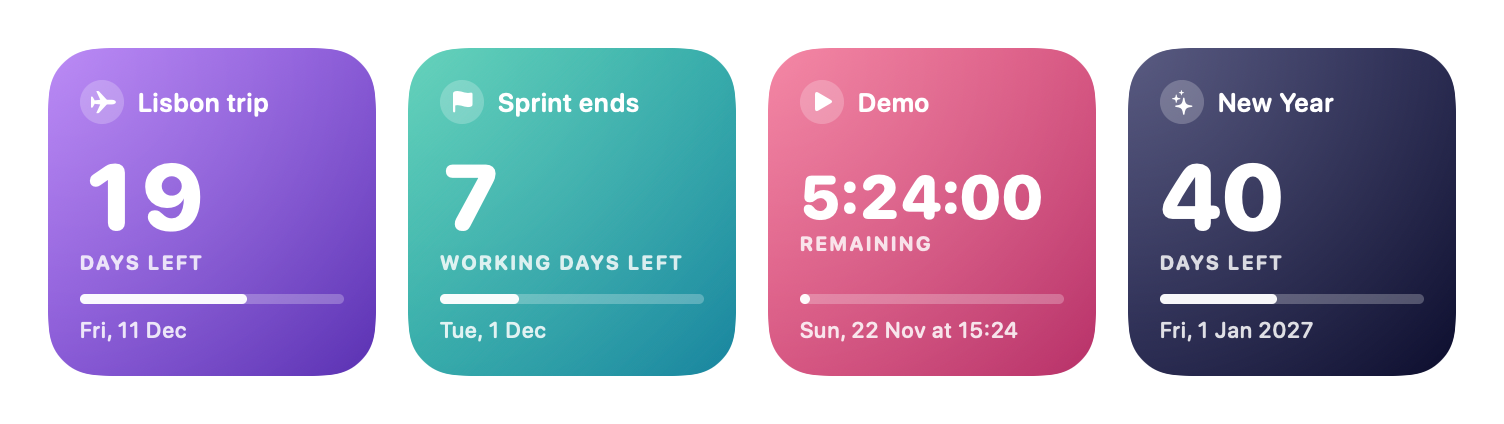
Working days for a sprint, a ticking timer in the last 24 hours, and a colour you recognise from across the room.
Also in the box
A bar that means something
It shows the time left on a scale you choose, so 19 days looks different from 7.
Gradients or a picture
20 gradients, two colours of your own, or a photo from your Mac.
Nothing changes by accident
Edits reach the widgets when you press Save. Browsing your events never touches them.
Down to the last hour
Days first, a ticking timer in the last 24 hours of a timed event, then "Today".
events.jsonimages/Your data, your Mac
One file in one folder. No account, no sync, no analytics.
Install
Download, allow once, add the widget.
Countdown Mini is free and not signed with a paid Apple developer certificate, so macOS asks you once to confirm that you trust it.
- Download Countdown-Mini.pkg and open it. macOS shows a warning. Click Done.
- Open System Settings, then Privacy & Security, scroll down and click Open Anyway.
- Run the installer. Countdown Mini lands in your Applications folder and opens. Add your first event and press Save.
- Right-click the desktop, choose Edit Widgets, search for Countdown Mini and drag a size onto the desktop.
See every step with pictures. Prefer no installer? Take Countdown-Mini.zip and move the app yourself, or build it from the source.
Questions and answers
Is Countdown Mini free?
Yes. It is free to download and use, with no in-app purchases, no subscription and no ads. The source code is public under the MIT licence.
Which Macs does it run on?
Any Mac with macOS 14 (Sonoma) or later, both Apple Silicon and Intel. There is no version for Windows, Linux, iPhone or iPad.
How do I put the widget on the desktop?
Open Countdown Mini once after installing. Then right-click the desktop, choose Edit Widgets, search for Countdown Mini, pick a size and drag it onto the desktop.
How do I choose which event a widget shows?
Right-click the widget and choose Edit Widget. There are three places: Event 1, 2 and 3. The small widget uses the first, the medium the first two, the large all three. Places you leave empty take the next events from your list.
Can I have several widgets with different events?
Yes. Add as many widgets as you like and choose the events for each of them separately.
Can it count only working days?
Yes. Each event counts either every day or Monday to Friday only, and you decide whether today is included. Public holidays are not known to the app and count as ordinary days.
What does the bar show?
The time left, on a scale you choose for the event: 7, 30 or 90 days, or a year. On the 30-day scale an event 15 days away fills half the bar, and the bar empties as the day comes closer.
I changed an event and the widget did not change. Why?
Edits reach the widgets when you press Save, or Command-S. Until then the event has an orange dot in the list. macOS may also take a few seconds to redraw a widget.
Why is the widget pale when a window is open?
macOS fades all desktop widgets while an app is in front, and shows them in full colour when you click the desktop. You can change this in System Settings, Desktop & Dock, Widgets.
After renaming an event, Edit Widget still shows the old name.
The widget keeps following the renamed event, and what it draws is up to date. Only the list in Edit Widget shows the name it was chosen by. Choose the event again there if you want the list to match.
Does it send notifications or sit in the menu bar?
No. It is a window for editing events and widgets for the desktop, nothing else: no notifications, no menu bar icon, no calendar import.
Does it need an internet connection?
No. The app makes no network requests. There is no account, no sync and no analytics.
Why does macOS say it cannot verify the app?
Apple shows that message for every app whose maker has not paid for a developer certificate. Countdown Mini is a free hobby project and is not signed that way. You allow it once in System Settings, Privacy & Security, with the Open Anyway button. The install guide shows each step.
Where is my data stored?
In the folder ~/Library/Application Support/Countdown Mini: the events as one JSON file, and scaled-down copies of the pictures you chose. Nothing is sent to Home App Labs.
Was it really made with AI?
Yes. The code was written by an AI coding assistant, directed, tested and used every day by a human. More about how the apps are made.
How do I report a problem or suggest something?
Use the Contact us button on this site: it opens a short form and needs no account, only an email address for the reply. If you prefer, open an issue in the GitHub repository.
More from the workbench
Other apps from Home App Labs
Same idea each time: one small job, done well, free and open source.

Focus Energy
A focus timer that also looks after your breaks. Extend a session instead of starting a new one, and watch your energy for the day.
Copy That
Clipboard history that never leaves your Mac. Everything you copied behind one shortcut, and the things you reuse saved as snippets in groups.

Translate That
A translator in the menu bar. Select text in any app, press one shortcut and read the translation. Google Translate built in, Claude or ChatGPT if you have them.